Start with attendance and payroll. Switch on recruitment, helpdesk, assets and reviews as you grow. Every module shares the same employee record, so nothing is typed in twice.
Dashboard
Who has punched in, pending approvals, open tickets and job openings.
Notifications
Approvals and requests reach the right person as they happen.
Employee self-service
Each employee sees their own profile, leave and tickets.
Exports
Take the directory and payslips out whenever you need them.
01 · People
Everyone you employ, from the first interview to the exit interview.
Employees
M-01
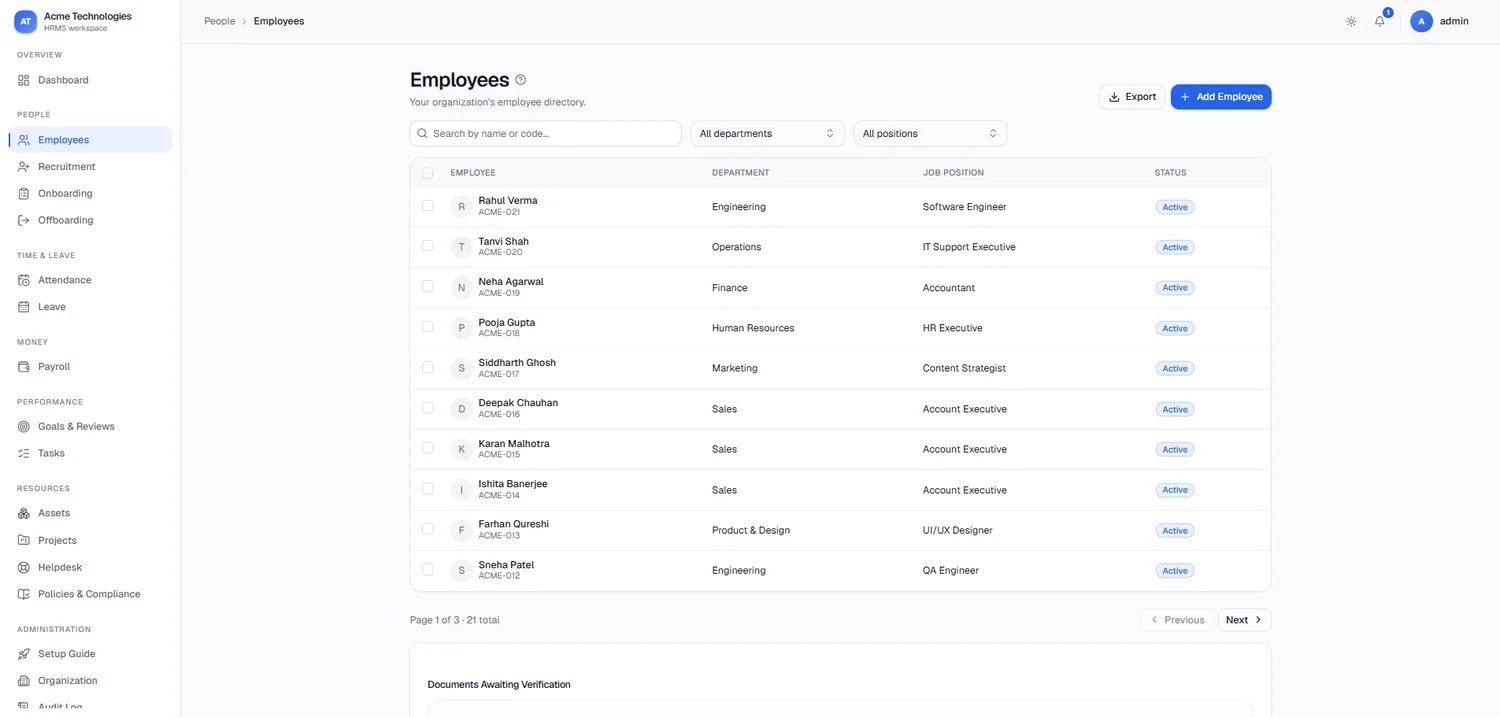
One directory for your whole team. Search by name or employee code, filter by department and position, and open any profile for the full record.
Directory
Search, department and position filters, add employee, export
Profile
Documents, Bank Details, Work History, Disciplinary
Verification
Documents awaiting verification are listed under the directory
Recruitment
M-02
Open a role, collect candidates and schedule interviews without leaving Peopl. Share a link to the job post so candidates can find it.
Job Openings
Candidates
Interview schedules
Interviewer assignment
Meeting links
Shareable job post links
Onboarding
M-03
Give every new joiner the same well-run first week. Define the stages once, attach tasks, and track each joiner as they move through.
Onboarding stages
Onboarding tasks
Progress per joiner
Offboarding
M-04
Handle exits with a checklist instead of a scramble. Assign each task to an owner, recover company assets and record the exit interview.
Offboarding processes
Tasks with assignees
Exit interviews
02 · Time & leave
Attendance and leave that feed straight into payroll.
Attendance
M-05
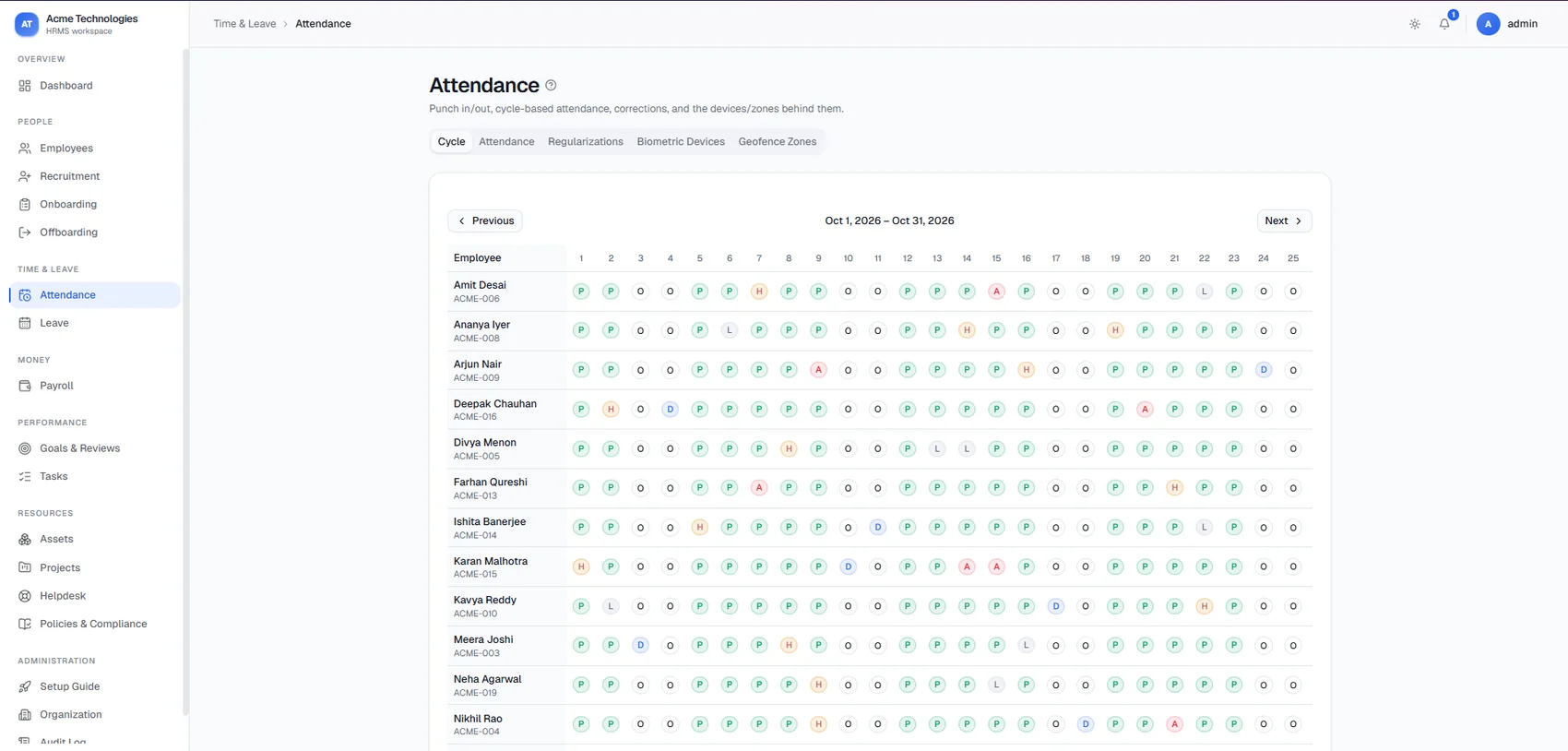
The whole month, at a glance. Every employee, every day of the pay cycle, in one grid. Spot absences, half days and double-pay days without opening a profile.
Marks
PPresentAAbsentHHalf dayDDouble payLLeave without pay
Views
Cycle, Attendance, Regularizations, Biometric Devices, Geofence Zones
Corrections
Regularization requests for missed or wrong punches
Leave
M-06
Employees request leave, managers approve it, and balances update on their own. Set your own leave types and holiday calendar.
Leave requests
Approvals
Leave balances
Leave types
Holidays
03 · Money
Payroll built for Indian statutory deductions.
Payroll
M-07
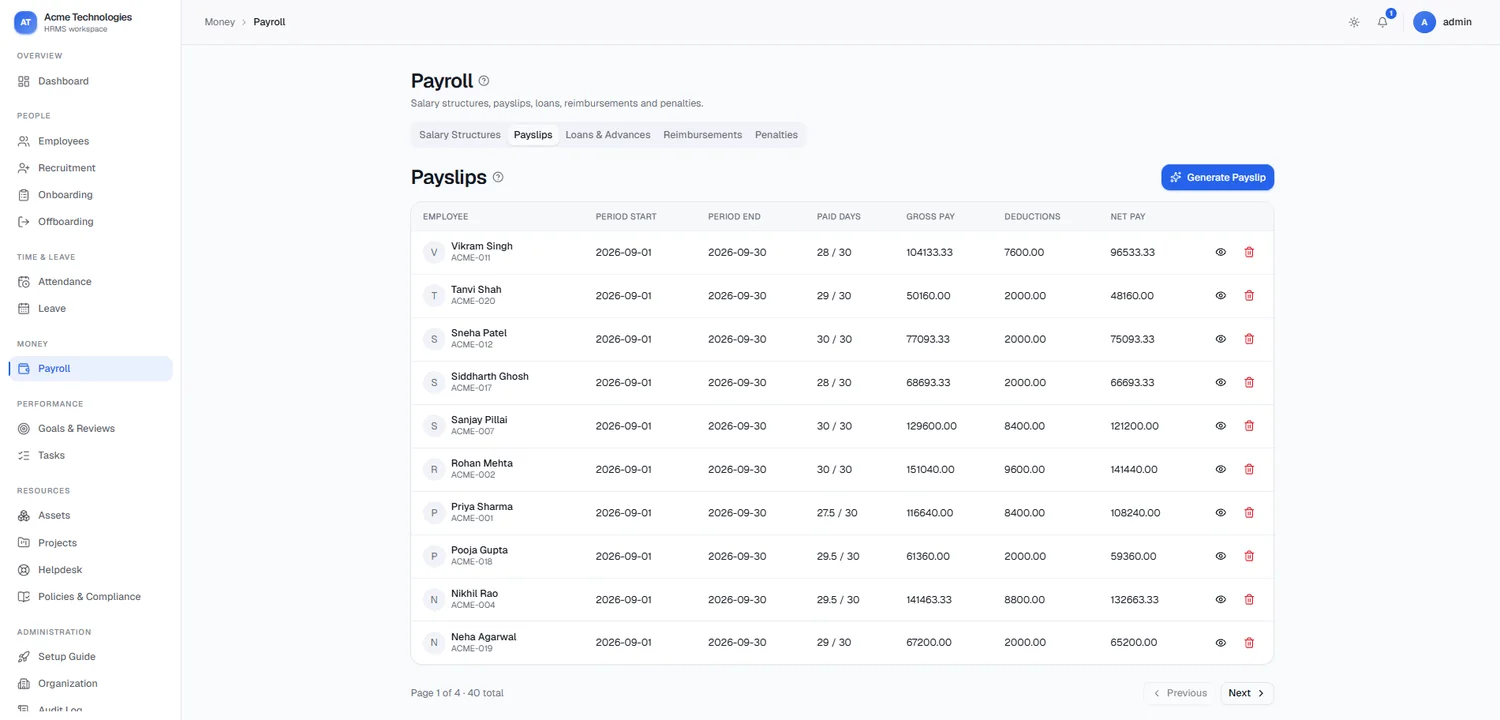
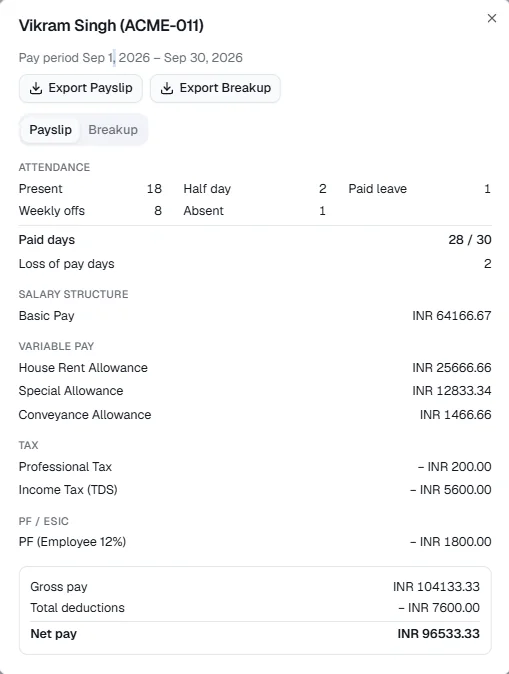
Payslips that explain themselves. Attendance flows straight into payroll, and every payslip shows how the number was reached, line by line.
Attendance counts, loss of pay, salary structure, variable pay, tax, PF / ESIC, gross and net
Statutory
PF, ESIC, income tax (TDS) and professional tax, in rupees
Export
A single payslip, or the full breakup
04 · Performance
Clear goals, regular reviews, and work that gets tracked.
Goals & Reviews
M-08
Set goals for each employee, then run review cycles where reviewers rate and comment. Every review stays on record for the next conversation.
Goals
Review cycles
Performance reviews
Reviewer and rating
Tasks
M-09
Assign work to people and follow it to done. Filter by employee, status, type and due date to see what is slipping.
Assign to employees
Status and type
Due-date filters
05 · Resources
The things, projects, questions and rules around your people.
Assets
M-10
Know who has which laptop, phone or ID card. Group assets into categories, assign them to employees and get them back at exit.
Asset categories
Asset register
Assignments
Projects
M-11
Keep projects and their tasks next to the people working on them.
Projects
Project tasks
Helpdesk
M-12
Employee questions become tickets instead of calls and chat messages. Route them to the right team and answer the common ones once in the FAQs.
Tickets
Ticket departments
FAQs
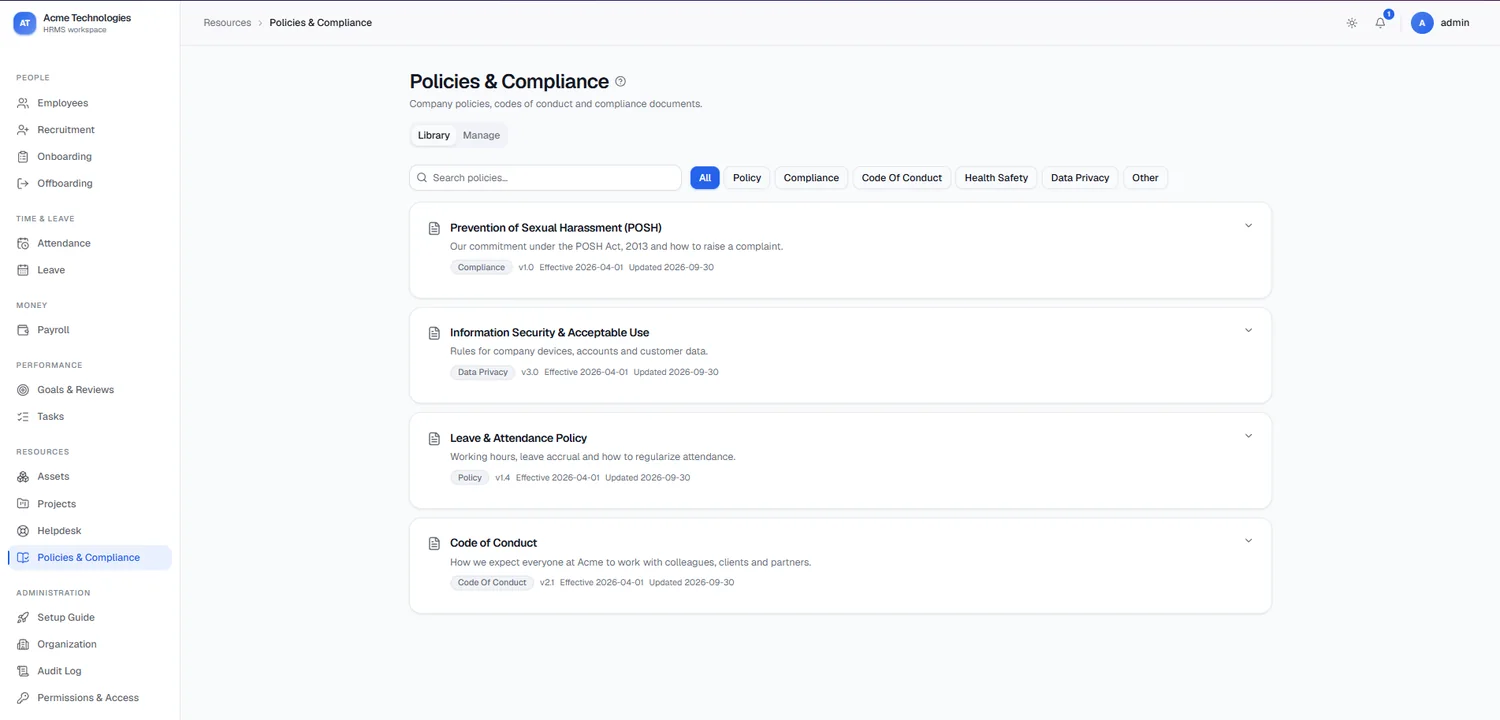
Policies & Compliance
M-13
Policies your team can find. Keep every policy in a searchable library, each with a version and an effective date, so everyone reads the current one.
Types
Policy, Compliance, Code of Conduct, Health & Safety, Data Privacy
Versioning
Version number, effective date and last updated date
Example
POSH, the sexual harassment prevention policy
06 · Administration
Set Peopl up the way your company is built, and keep it under control.
Setup Guide
M-14
A step-by-step wizard that takes a new workspace from empty to ready, in the right order.
Your organization
Departments
Job positions
Job roles
Work types
Shifts
Attendance
First employee
Organization
M-15
Describe your company once and every other module uses it: the directory, attendance, payroll and approvals.
Organization profile
Departments
Job positions
Job roles
Employee types
Work types
Shifts
Break types
Audit Log
M-16
Every change is recorded with who made it and when, so "who edited this?" always has an answer.
Who
What changed
When
Permissions & Access
M-17
Role-based access keeps salary and personal data with the people who need it. Employees see their own records; HR and managers see what their role allows.
Roles
Module access
Employee self-scope
Pilot
See the modules with your own data.
A free 30-day pilot, set up with you, using your real employee data.